
POS material detection: whose branding is in each bar and restaurant
POS Material Detection shows whose branded POS material (POSM) stands in each bar, pub and restaurant: the taps, glassware, fridges, parasols and signs, read by AI from date-stamped public photos across 20M+ venues in 60+ countries. In London, 74% of bars and pubs show branded drinks material in their photos, against 23% of restaurants. Filter the outlet list on a competitor's material and none of yours: those are the outlets you can win.
- Facade and signage
- Bar equipment
- Glassware
- Table material
- Banners and posters
- Branded furniture
The trusted intelligence layer for teams selling to Hospitality & Retail





Which pubs show a competitor's branding and none of mine?
Looking for POS systems (EPOS), the checkout software restaurants use, such as Toast or Square? See which POS restaurants use.
Branded material in an outlet is rarely an accident. A facade sign, a row of tap handles or a stack of branded glasses usually means a supply agreement, a placement budget or a relationship with a rep. For a field team it is one of the clearest signals of who owns the account today.
Until now you learned it by walking in. With POS Material Detection you see it first: the outlets that carry a competitor's material are a conversion list, the outlets that carry nobody's are open ground, and the outlets that carry yours are accounts to keep.
What London's photos show: Guinness on the bar, Coca-Cola in the restaurant
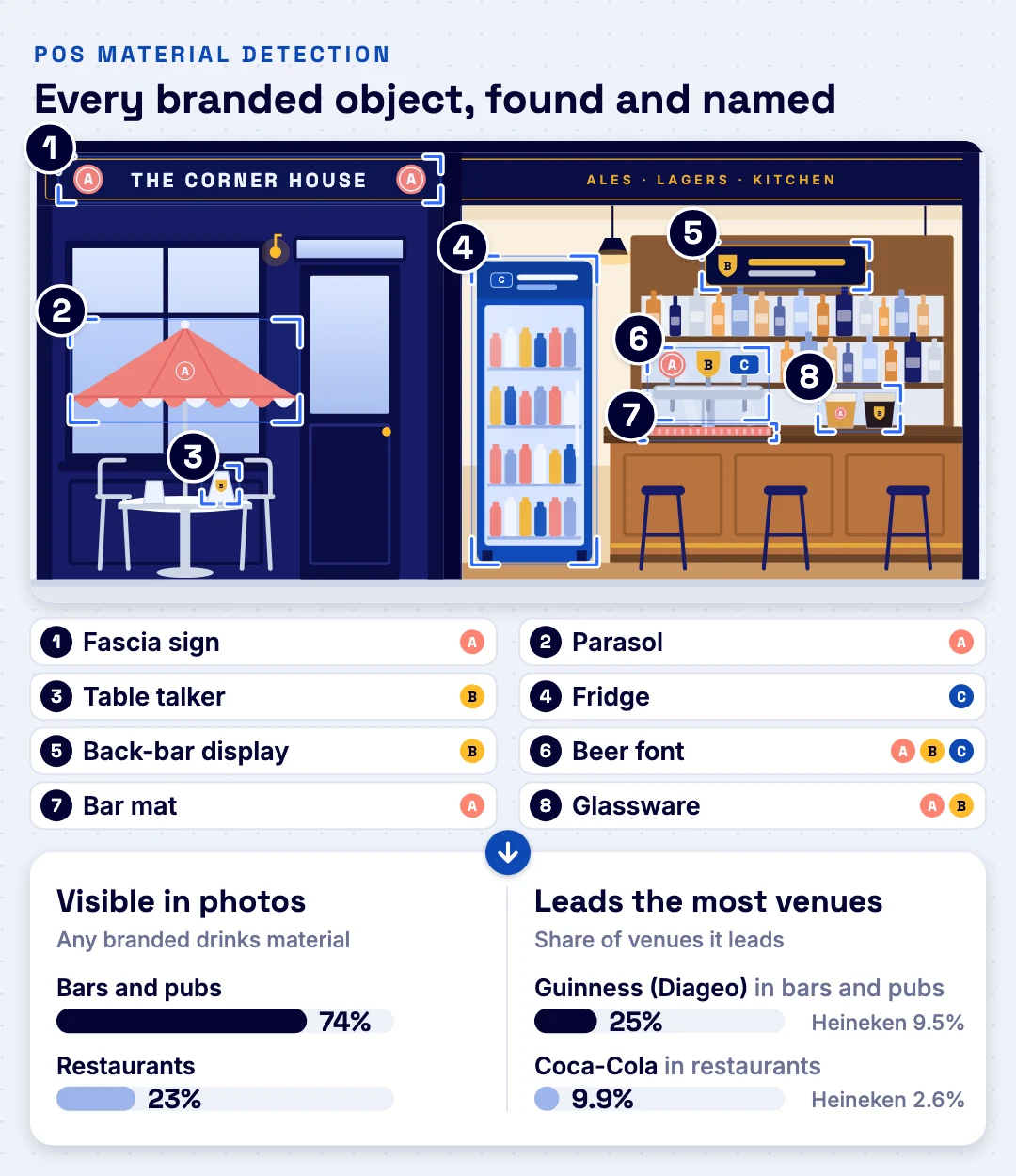
About three in four London bars and pubs (74%) show branded drinks material in their public photos; about a quarter of restaurants (23%) do. In bars and pubs, Guinness (Diageo) carries the most branded material in about a quarter of venues (25%); the runner-up, Heineken, leads in about one in ten (9.5%). In restaurants, Coca-Cola leads, and about three in four restaurants (77%) show no branded drinks material at all: white space for a drinks brand, and a ready call list.
The lead is not equally strong everywhere. Guinness leads the bars and pubs of every London sub-region: clearly in Central and East London, narrowly in North, South and West London (in the North, 24% vs Heineken 20%). Read the full study in who owns the bar in London.

Which brands London's bars show: Guinness in about half
Guinness is on show in about half of London's bars and pubs (53%); the next brand, Peroni, in about 15%. Behind them come Heineken's brands (Birra Moretti, Amstel) and Asahi's (Peroni, Asahi, London Pride). For a brand team this is the territory view; for a rep it is the filter: open the outlets that show a rival's brand and none of yours.
Share of bars and pubs whose public photos show the brand on branded drinks material, weighted to all of London, 2026 data. A venue can show several brands. Visibility in photos, not sales.

Where the branding sits: the taps, then the glass
In London's bars and pubs the taps carry about 44% of all the branded material seen, glassware 24%: together, about two thirds. Restaurants spread it over glassware (28%), signs and decor (15%), the terrace and front (13%) and the fridge (11%). Each object type says something different about the account, which is why every detection keeps its type.
How it works: from a photo to whose brand is on the bar
POS Material Detection reads the public photos of each outlet, finds the branded objects in them, names the brand on each object and the company that owns it, and adds it all up per outlet and per area.
Two sources feed the same read: the public photos of the outlet, and the photos your reps take on store visits. Reps' photos can be added to the outlet and are read the same way, and every finding keeps its source and photo date, so you can tell what the public sees from what your team saw on the visit.

On a real bar: three steps from photo to outlet profile
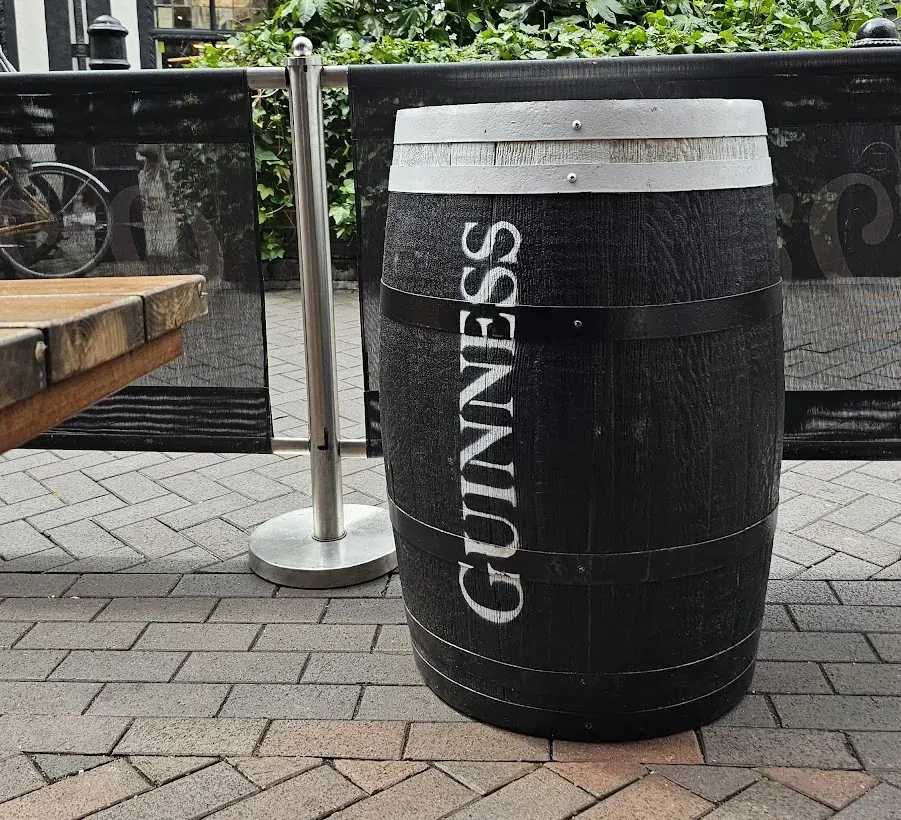
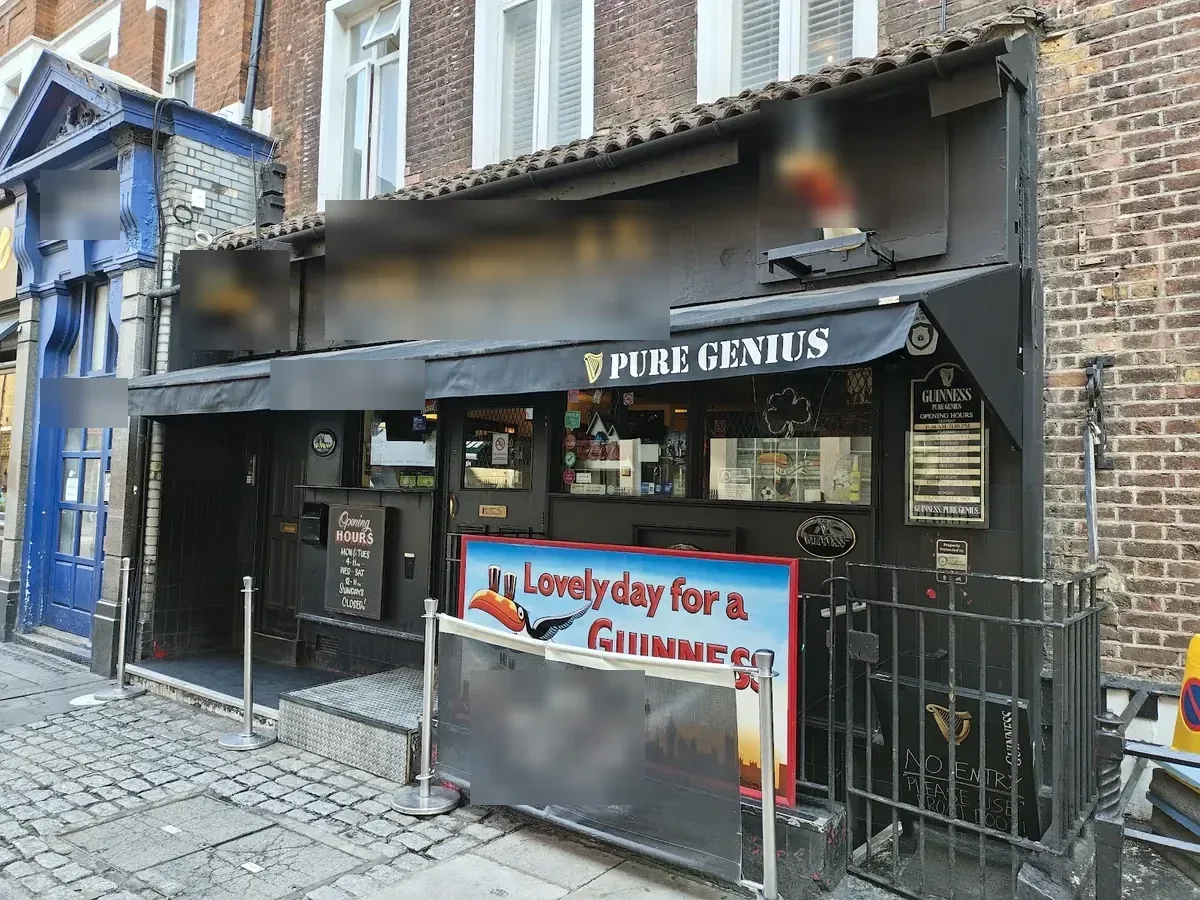
The photos on this page are public venue photos of pubs in and around London Soho; photos your reps take on store visits are read the same way.
- 1
Find every branded object
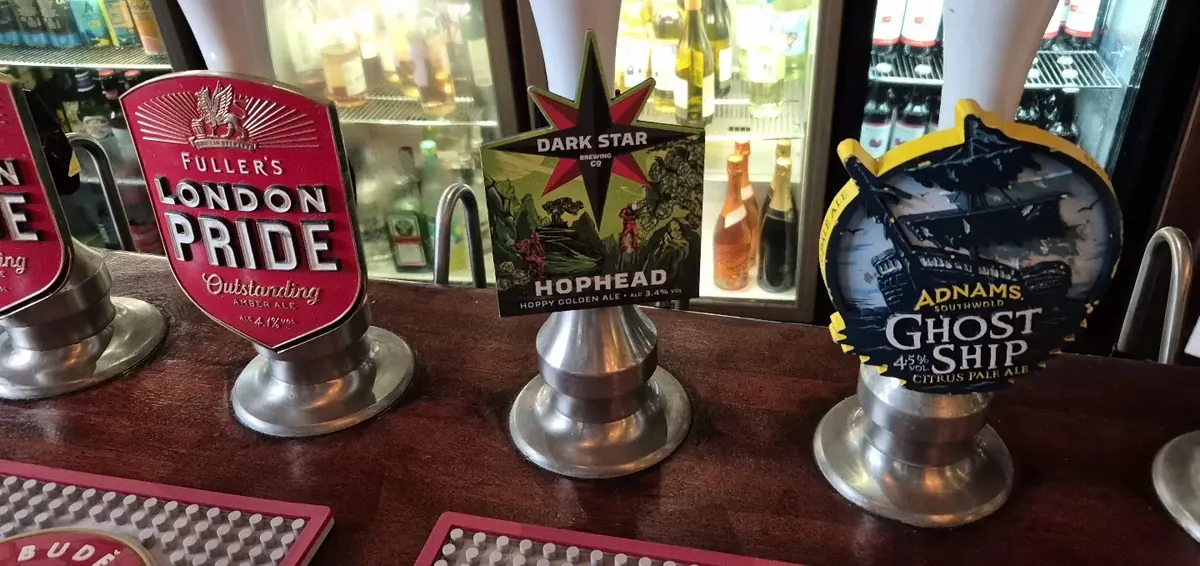
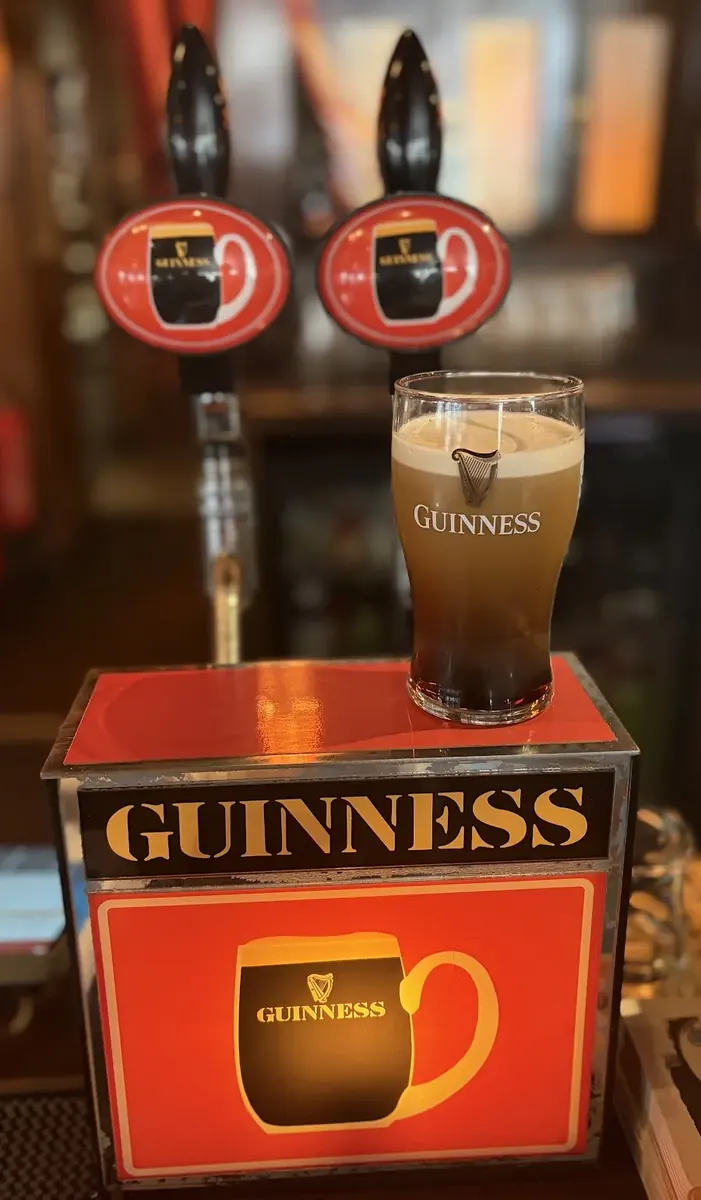
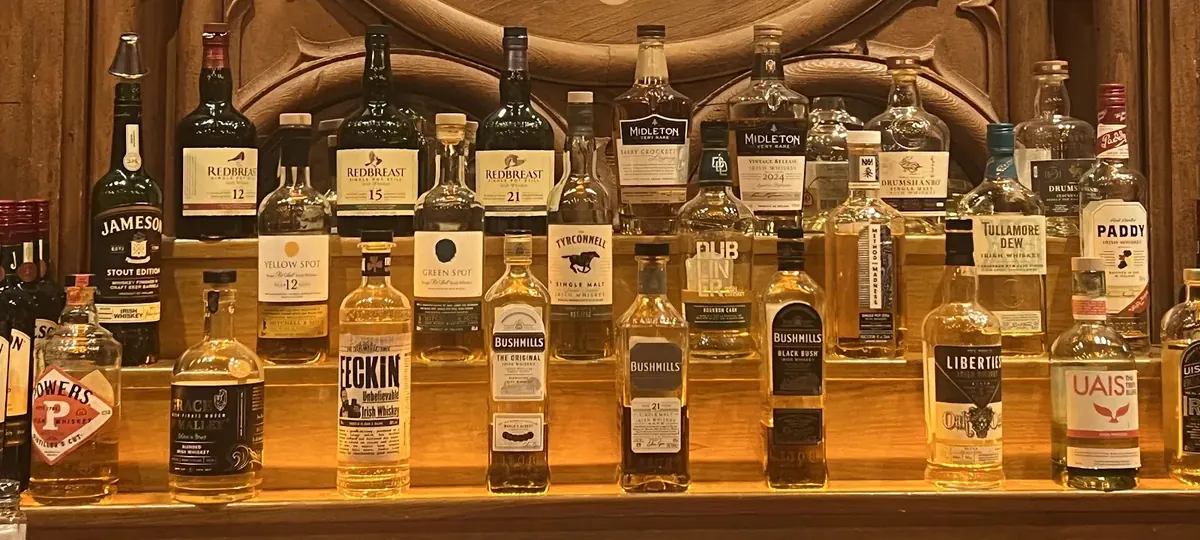
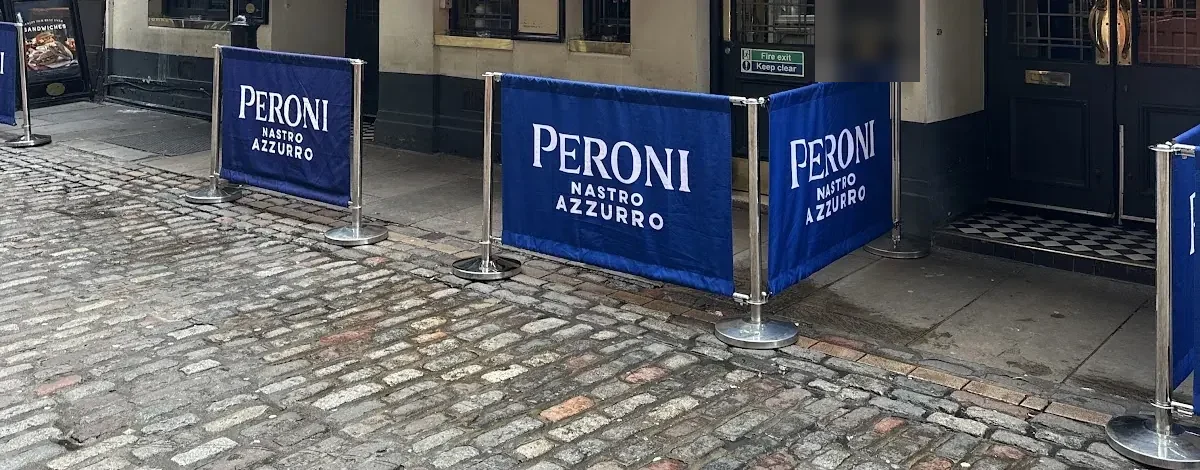
Each photo is read for branded material: beer fonts and pump clips, glassware, bar mats and coasters, fridges, back-bar displays, terrace barriers and parasols, signs and banners.
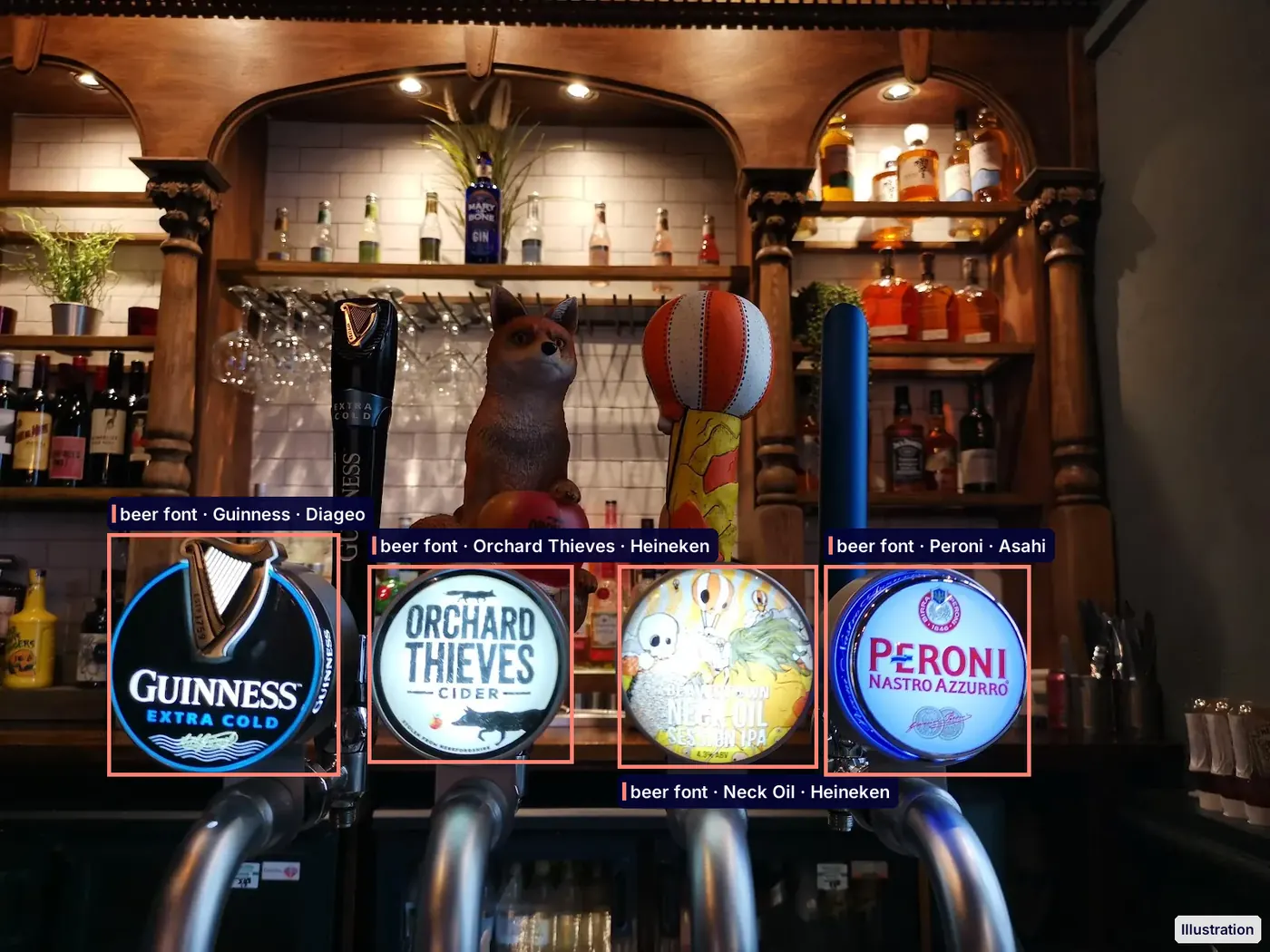
Illustration: beer fonts detected, 4 brands from 3 owners - 2
Name the brand and its owner
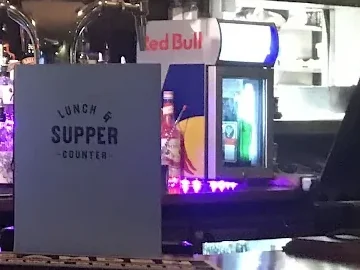
Each object gets the brand it promotes and the company that owns that brand, so a Birra Moretti coaster and a Heineken bar mat both count for Heineken. One photo can hold several owners: here a Coca-Cola fridge stands behind a bar dressed by a brewer.
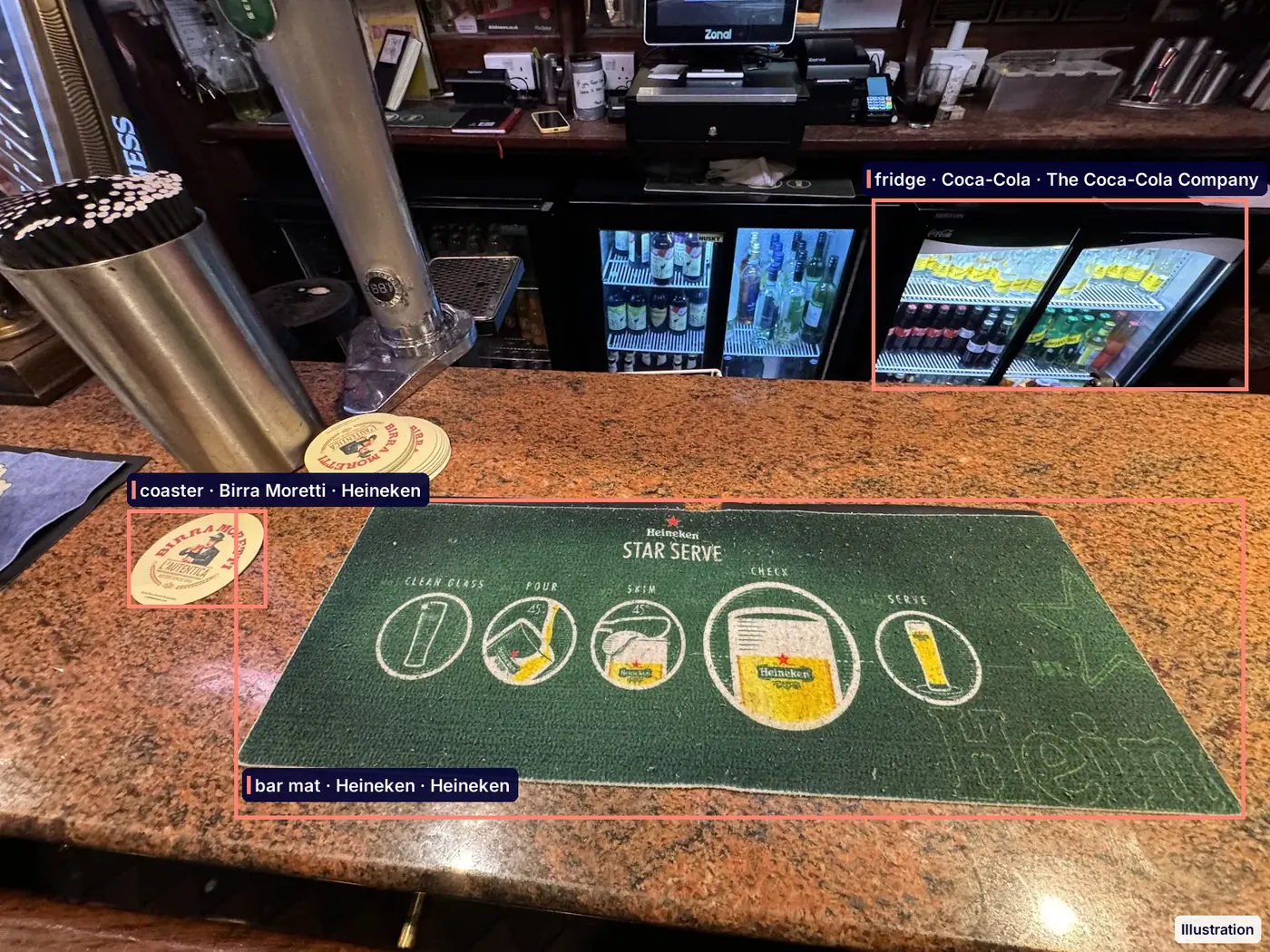
Illustration: fridge, bar mat and coaster detected, 3 brands from 2 owners - 3
Add it up per outlet
The POSM tab on the outlet profile lists every brand on show, its owner, the objects it was seen on and the month of the latest photo. Click an item to see the evidence photo.
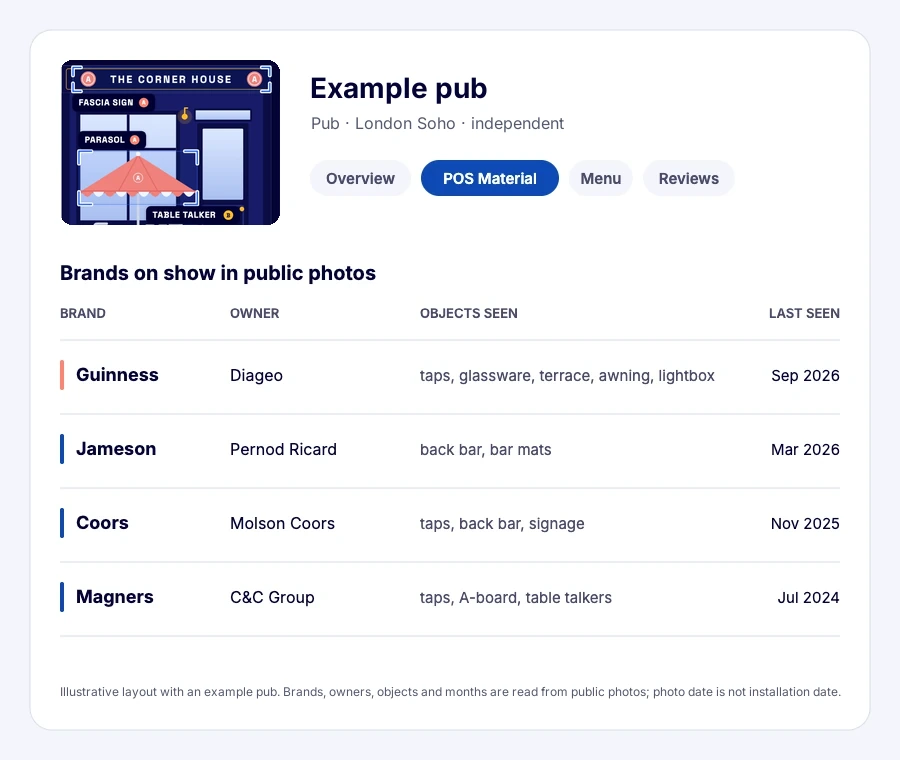
Illustrative layout of the outlet profile
What you see per outlet
Every branded object found in the outlet's public photos is recorded with its brand, its object type, the photo it was seen in and the photo date.
| Object type | Typical examples |
|---|---|
| Facade and signage | Outside signs, light boxes, window stickers, menu boards |
| Bar equipment | Tap handles, fonts, drip mats, branded bar mats |
| Glassware | Branded glasses and mugs on the bar or in guests' hands |
| Table material | Table tents, menu holders, coasters |
| Banners and posters | Fabric banners, printed posters, promotional displays |
| Branded furniture | Parasols, chairs, tables, terrace screens |
On the outlet profile, a POSM tab adds it up: the share of branded material per brand, the brands found, the leading brand in each drinks category and the date of the latest photo. You can switch between counting branded items and counting photos, and click any item to see the evidence photo.
One line is drawn on purpose: a price board chalked in the venue's own hand is not supplied material, so it shows as a menu listing, not as POSM.
The same outlet record also shows which POS system, booking and ordering tools the venue runs: see restaurant technology.
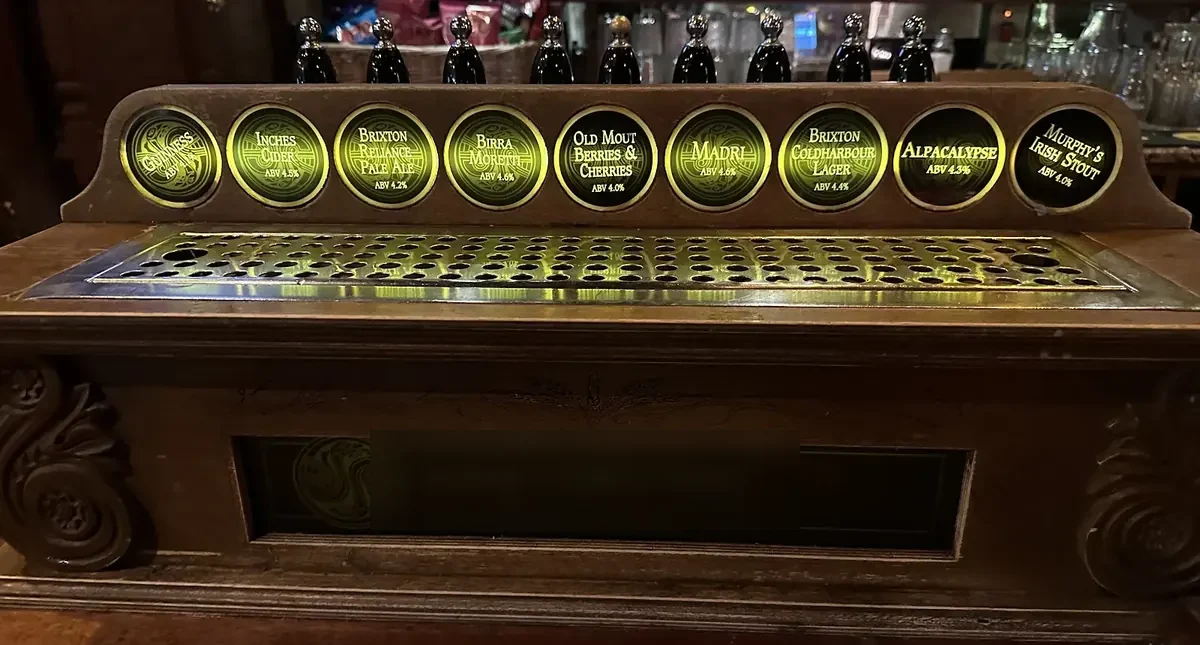
Where brands show in a bar, object by object
Brands reach a bar through a handful of object types, and each one says something different about the account.
How reps use it in the week
POSM works as a filter, a column and a profile tab. The photo research is done for you, so the week goes to time with owners.
- Include and exclude by brand. In the POSM filter, click a competitor once to include it and click your own brand twice to exclude it. The list keeps the outlets with their branding and none of yours.
- Narrow by object. A competitor's facade sign says more about the account than a single glass. Filter on the object types that matter for your category.
- Add the column. Put POSM brands next to the lead score and the menu brands in your list, and export it for the week's visits.
- Open with the photo. "Your terrace has our rival's parasols and your bar has none of ours at all" is a concrete start to a conversation.
- Check your own placements. For current accounts, see whether your material still shows in recent photos or has been replaced.
Worked example: a conversion list for a beer brand
Take a beer rep who filters one city district on a rival brand's POSM and none of her own, then sorts by lead score.
| Outlet | Rival material seen | Latest photo | Lead score | Plan |
|---|---|---|---|---|
| Corner pub | Facade sign, tap handle, glassware | This summer | 82 | Visit: full rival bar, pitch a second tap |
| Sports bar | Banner, parasols | Last spring | 77 | Visit: terrace season pitch |
| Brasserie | Glassware only | This month | 71 | Visit: light branding, easy switch |
| Hotel bar | Table tents | Last year | 64 | Check the menu first |
| Village pub | Facade sign | Two years ago | 58 | Old photo: confirm on a drive-by |
The brasserie goes first: a recent photo, high fit and only glassware means the outlet uses the rival brand without a deep tie. The village pub waits, because a two-year-old photo is weak evidence.
What the read does not tell you
POSM shows what was seen, not what was agreed. Branded glassware does not prove a contract, and a missing sign may simply not be in any photo. An outlet with no recent public photo shows no POSM read, which means not seen rather than not there. Shares of POSM are built only from what the photos show.
POS Material Detection: available in selected markets. Ask us about yours. It sits with the cooler, fountain and inventory reads in the outlet execution audit.
Frequently asked questions
What counts as POSM?
POSM is branded material supplied to an outlet to promote a brand at the point of sale: signs, tap handles, glassware, table tents, banners, posters and branded furniture such as parasols. Read more in what POSM is.
Which drinks brand has the most POSM in London's pubs?
Guinness. It is on show in about half of London's bars and pubs (53%), and Diageo, almost all of it Guinness, carries the most branded drinks material in about a quarter of them (25%); no other company leads in more than about one in ten. See who owns the bar in London.
How many London restaurants show branded drinks material?
About a quarter (23%). About three in four (77%) show no branded drinks material in their photos, and where one company leads, it is Coca-Cola.
How do I find outlets with a competitor's branding and none of mine?
Open the POSM filter, click the competitor once to include it and click your own brand twice to exclude it, then apply. The list keeps outlets where the competitor was seen and your brand was not.
What is share of POSM?
Share of POSM is a brand's share of the branded material seen in an outlet. You can count it by branded items or by photos, and it only covers what the photos show.
How recent is the evidence?
Every item carries the date of the photo it was seen in, and old photos are excluded from the read. Sort or filter on the latest photo date to work with the freshest evidence.
Can I see the photo behind a detection?
Yes, click any item on the outlet profile to see the evidence photo with the brand, the object and the photo date.
Does it cover my market?
POS Material Detection is available in selected markets. Ask us about yours, and name a territory you know well for a first read.
Is POS material the same as a POS system?
No. POS material (POSM) is the branding in the venue: taps, glassware, fridges, signs. A POS system (EPOS) is the checkout software the venue takes payments on, such as Toast or Square: see which POS restaurants use.
Related reading
For sales leaders: the business case
POSM is where trade marketing spend becomes visible, and now you can see it across the territory.
- Conversion lists in one filter. Outlets with a competitor's branding and none of yours, ranked by fit, ready for the week's visits.
- Placement budget checked. See whether supplied material is still in place in your accounts, with the photo and date as proof.
- Competitor moves spotted early. New branded material in your accounts shows up in photos before it shows up in your sales.